![raptor-qntm-logo_horizontal_gradient.png]](https://content.raptorservices.com/hs-fs/hubfs/raptor-qntm-logo_horizontal_gradient.png?height=40&name=raptor-qntm-logo_horizontal_gradient.png)
What is Ask AI?
Ask AI is an assistant built into the Raptor Control Panel that answers your questions about the Raptor platform. It uses the Raptor Help Center as its only source of knowledge and links to the articles each answer is based on. Ask AI explains how Raptor works and how to set things up, but it cannot carry out actions for you, such as creating an audience or changing a setting.
👀 Use case: You are setting up your first activation and are unsure which identifier to choose. Open Ask AI, ask your question, and keep working on the same page.
How to ask a question
- Click Ask AI in the top bar, next to Help. The Assistant panel opens on the right
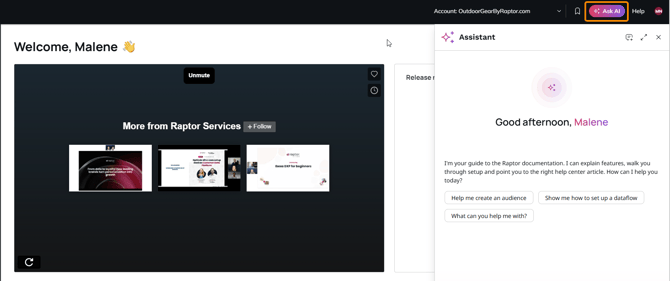
- Choose how to start:
a. Click one of the quick actions. These are suggested questions that change depending on the page you are on.
b. Type your question in the message field and press Enter.
c. Click the microphone icon (Dictate) to ask your question by voice.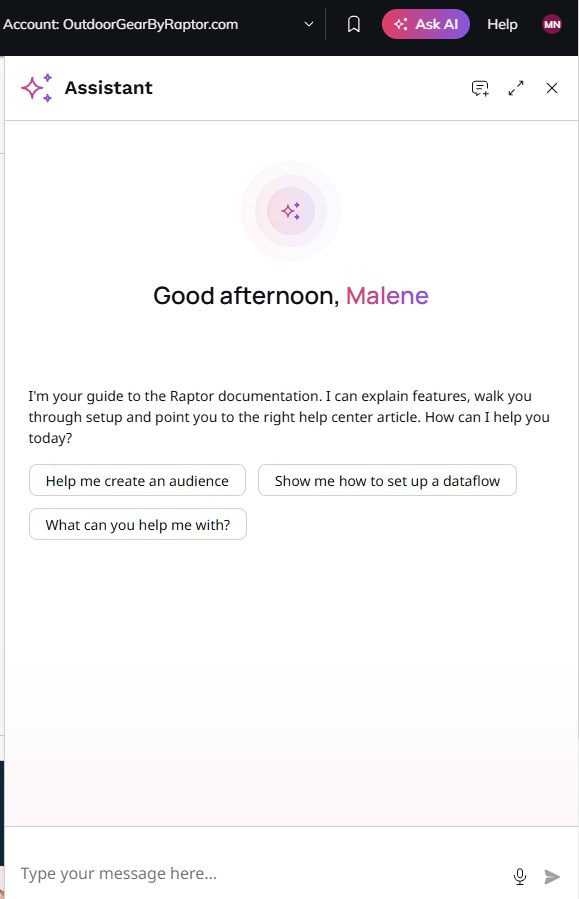
- Read the answer. Click a link under Sources to open the full Help Center article, or click Copy to copy the answer.
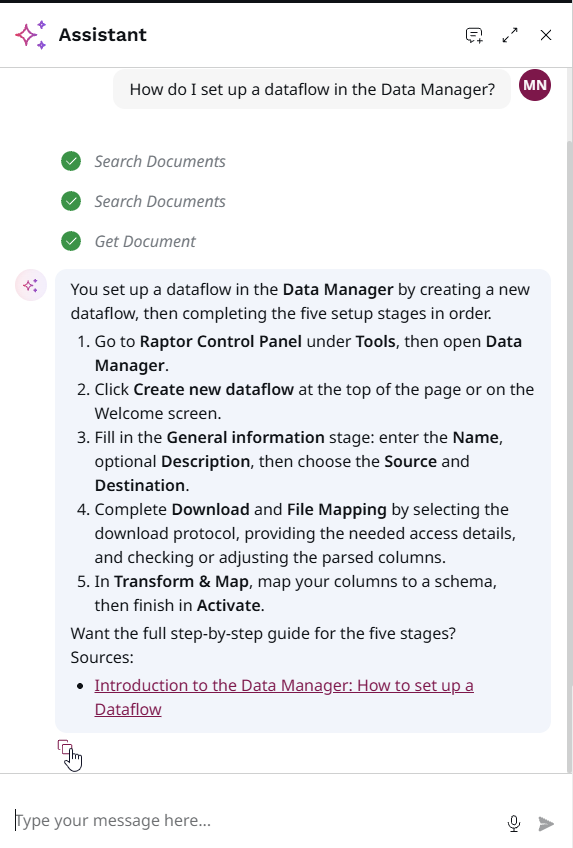
- Ask a follow-up question to go deeper, for example “What happens if the audience is empty?”
💡 Example: On the Audience Builder page, clicking the quick action “Filter on product data” returns step-by-step instructions for linking your product catalog, with a link to the article Map your Product Information to the Audience Builder.
Panel controls
- Fullscreen: Click the expand icon in the top-right corner of the panel for more room to read. Click it again to return to the side panel.
- Close: Click X or press Escape.
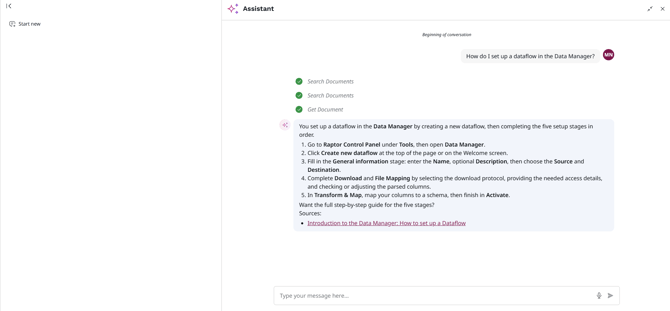
🔍 Note: Start a new conversation when you switch to an unrelated topic. Ask AI uses earlier messages as context, so a fresh start keeps answers focused.
Tips for good answers
- Be specific about the feature. “How do I schedule an audience in Audience Builder?” works better than “How does scheduling work?”
- Ask one question at a time.
- Describe your goal. “I want to send customers who abandoned their basket an email” helps Ask AI point you to the right feature.
🔍 Note: Ask AI explains how Raptor works and how to set things up. It cannot carry out actions for you, such as creating an audience or changing a setting.
FAQ
Q: Does Ask AI have access to my customer data?
A: No. Ask AI does not read your account’s data, users, audiences or settings.
Q: Why did Ask AI not answer my question?
A: Ask AI only answers questions covered in the Help Center. Try rephrasing, or contact Raptor Support if your question is about your specific account.
Q: Is my conversation saved?
A: Yes. Your conversation stays when you close the panel, move to another page or reload the Control Panel, until you start a new one.
Q: Can I see older conversations?
A: Not yet. Ask AI keeps one active conversation at a time.