![raptor-qntm-logo_horizontal_gradient.png]](https://content.raptorservices.com/hs-fs/hubfs/raptor-qntm-logo_horizontal_gradient.png?height=40&name=raptor-qntm-logo_horizontal_gradient.png)
This guide walks you through every step required to get Raptor Recommendations up and running. It covers account setup, choosing your recommendation channels, ingesting your data, and activating your first outputs. The steps are designed to be followed in order: each phase builds on the one before it.
🔍 Note: This guide covers the Raptor recommendation suite, including Website Recommendations, Search Recommendations, Email Recommendations, and Email Triggers.
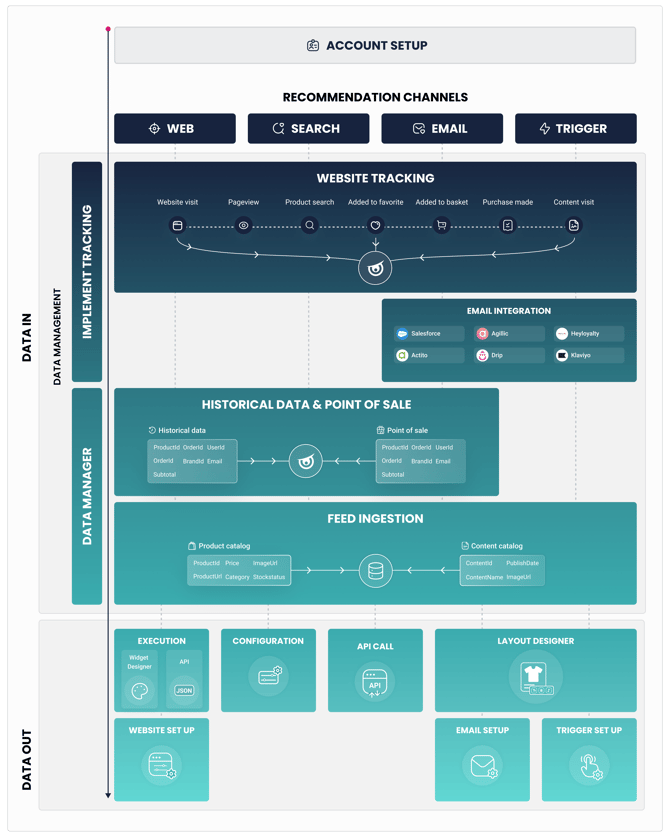
Account Setup
The first part of the onboarding process is establishing the foundation of your Raptor account. Before any tracking or data ingestion can begin, you need to define your account structure and make several key decisions that will shape the rest of your setup.
During account setup, the following is defined:
- Account structure: how many accounts you need and how they relate to each other (for example, one account per market or brand).
- User identifiers: which identifier Raptor will use to recognise individual users across sessions. This is typically an email address, a customer ID, or a combination.
- Product IDs and Content IDs: the exact ID format your catalog and tracking will use. These must be consistent across your product feed, your tracking events, and any product data you ingest. Mismatches at this stage cause problems downstream.
⚠️ The choices made during account setup affect every subsequent step. Confirm your user identifier strategy and ID formats with your Raptor implementation contact before proceeding.
Choose your recommendation channels
Once your account foundation is in place, the next step is to decide which recommendation channels you are implementing. Raptor supports four channels:
- Website Recommendations: personalized product and content recommendation modules displayed directly on your website.
- Search Recommendations: behavior-aware search results that surface the most relevant products for each individual user.
- Email Recommendations: personalized product suggestions embedded in your email campaigns, generated by Raptor and delivered through your email platform.
- Email Triggers: automated emails triggered by Raptor, sent through your email platform based on specific user behavior, such as an abandoned basket or repeated interest in a product.
👀 Use case: Before you start ingesting data, it is worth deciding which recommendation strategies and trigger types you want to use. Knowing this in advance helps you prioritize which tracking events and data sources are most important to implement first.
Read about each channel in detail using the links above, then confirm your channel selection before moving on to data ingestion.
Data in
With your account set up and your channels chosen, the next step is getting data into the Raptor Recommendation Engine. There are three data sources to set up: website tracking, historical transaction data and POS (point of sale) data, and your product catalog.
🔍 Note: Data is at the heart of everything Raptor does. Implementing the tracking script, ingesting a product catalog, and uploading sales history are the three steps that most determine the quality and speed of your recommendations.
Website tracking
Website tracking captures the actions users take while browsing your site: page views, product views, basket updates, purchases, and more. This live behavioral data feeds directly into the Recommendation Engine.
There are three ways to implement Raptor tracking. Choose the approach that fits your technical setup:
- Client-side tracking: a JavaScript snippet placed directly in your site's code.
- Server-side tracking: events sent to Raptor from your backend, not the browser.
- Client-side tracking via Google Tag Manager: the client-side script deployed and managed through GTM.
- Server-side tracking via Google Tag Manager: events sent to Raptor through a GTM Server Container instead of directly from the browser or your backend.
Not sure which to choose? See Client-side vs. Server-side tracking for a comparison.
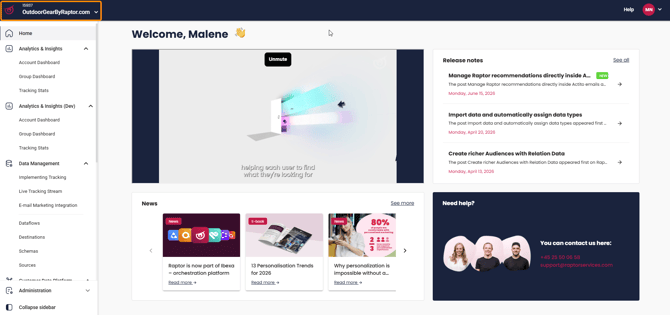
Once tracking is live, verify it is working by opening the Live Tracking Stream in the Raptor Control Panel under Data Management. This shows a real-time feed of all events being received.
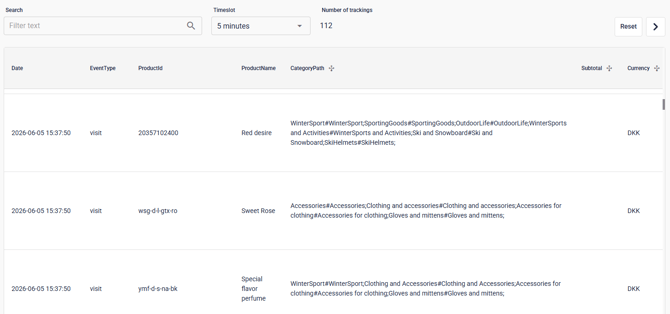
👀 Use case: Test your implementation by finding your own cookie ID in the browser and searching for it in the Live Tracking Stream. See Testing tracking implementations for the full walkthrough.
⚠️ All tracking events for website recommendations are hardcoded. Each event must include the specific parameters required for that event type. Please read our documentation on Tracking Events and Parameter reference.
Historical data and Point of Sale data
Historical transaction data gives the Recommendation Engine a head start. Without it, recommendations rely entirely on live tracking, which takes time to accumulate enough signal to produce high-quality results.
Historical data must include, at minimum: ProductId, OrderId, Key. Point of Sale (POS) data uses the same fields and is ingested through the same process.
Both are set up as dataflows in the Data Manager, found in the Raptor Control Panel under Data Management.
For a full guide to creating a dataflow, see Introduction to the Data Manager: How to set up a Dataflow.
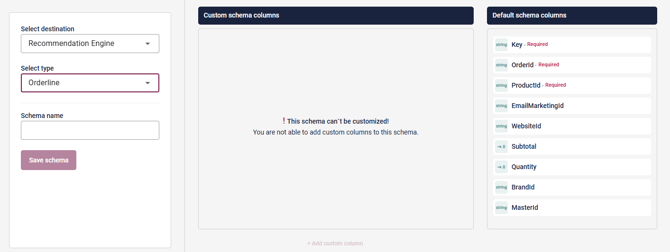
🔍 Note: For fastest results, upload the historical POS file alongside your catalog feed so the engine has purchase history from day one.
Product catalog ingestion
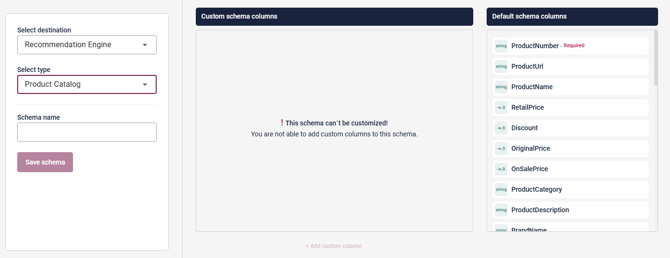
Your product catalog gives Raptor the product attributes needed to display, filter, and rank recommendations: names, images, prices, URLs, categories, and stock status. For Website Recommendations, a product catalog feed is optional but strongly recommended. For Email Recommendations, it is required.
The catalog is ingested as a recurring dataflow in the Data Manager. Supported file formats are XML, CSV, and JSON.
Key points to confirm before setting up your catalog feed:
- The product ID in your catalog must exactly match the product ID sent in your tracking events. Case sensitivity applies.
- For product variants (e.g. size or color), send the master product ID in your tracking. This ensures recommendations surface the main product, not an individual variant.
- Schedule the dataflow to run at a frequency that keeps your catalog current. For most retail stores, a daily run is sufficient.
Data out
Once data is flowing into the engine, you can activate your recommendation channels. Each channel is configured independently.
Website recommendations
Configure recommendation modules to display personalized product and content suggestions on your website, typically on product detail pages, the basket, the homepage, and category pages.
Raptor recommendation modules can be implemented via the Raptor Recommendation API. Your implementation approach will determine which method to use.
For setup documentation, see Introduction to Website Recommendations.
Search recommendations
Configure your search index to deliver behavior-aware results for your site's search functionality.
For setup documentation, see the Site Search section of the help center.
Email recommendations
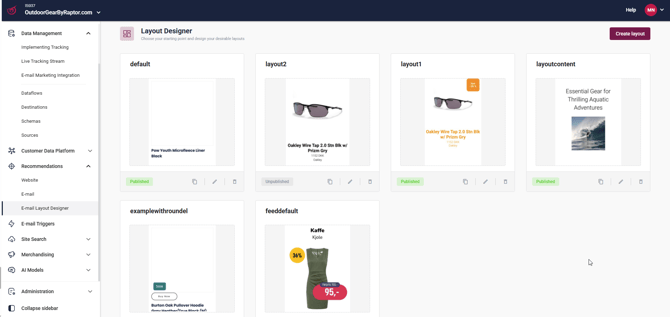
Connect Raptor to your email marketing platform and configure personalized product recommendation modules to embed in your campaigns. The Layout Designer is used to configure how recommendations appear in your email templates.
For setup documentation, see the Email Recommendations section of the Knowledge Base, then navigate to the article for your specific platform.
Email triggers
Configure automated, behavior-based emails that send when a user performs a specific action. Available trigger types include Abandoned Basket, Product Interest, Category Interest and Price Drop Product Interest.
For setup documentation, see E-mail Triggers.
Notes and limitations
- The Recommendation Engine begins learning from the moment tracking goes live. Initial recommendation quality improves over the first days and weeks as behavioral data accumulates. The engine typically produces reliable recommendations after roughly one week of tracking, depending on your site's activity level.
- Product IDs must be consistent across all three data inputs: tracking events, the product catalog, and historical data. Any mismatch will cause recommendations to fail to resolve correctly.
- The product catalog feed is optional for Website Recommendations but required for Email Recommendations.
- Not all four recommendation channels may be included in your Raptor subscription. Confirm which channels are active on your account before beginning configuration.