![raptor-qntm-logo_horizontal_gradient.png]](https://content.raptorservices.com/hs-fs/hubfs/raptor-qntm-logo_horizontal_gradient.png?height=40&name=raptor-qntm-logo_horizontal_gradient.png)
What is Raptor?
Raptor is a Customer Data Platform (CDP) and personalization suite built for e-commerce teams. It collects behavioral and transactional data from your website and other sources, unifies it into individual customer profiles, and uses it to deliver personalized experiences — across your website, email, and search — from a single platform.
Raptor is designed for marketing, e-commerce, and merchandising teams who want to act on customer data without relying on developers for every campaign or configuration change.
How Raptor works
Raptor operates in three stages that run continuously in the background once the platform is set up.
Collect — Raptor captures user behavior on your website via a JavaScript tracking snippet: page views, product views, add-to-basket events, purchases, and more. Product catalog data and transaction history are ingested separately through the Data Manager.
Unify — Behavioral data is matched with customer profile data to build a complete picture of each individual. Anonymous browsing sessions are connected to known profiles when a customer identifies themselves — for example, at login or email sign-up.
Activate — Unified customer data powers personalized product recommendations, behavior-based email triggers, audience segments, and on-site search results across your connected channels.
🔍 Note: Raptor works alongside your existing tech stack. It does not replace your email platform, CMS, or e-commerce system — it connects to them and enriches them with personalization data.
Who is this Help Center for?
This help center covers setup, configuration, and day-to-day use of the Raptor platform. Articles are written for:
- E-commerce managers managing campaigns, feeds, and recommendation strategies
- Email marketing specialists setting up triggers, modules, and audience activations
- Merchandisers controlling product visibility and boosting logic
- Implementation leads and developers connecting tracking, data flows, and integrations
Navigation update
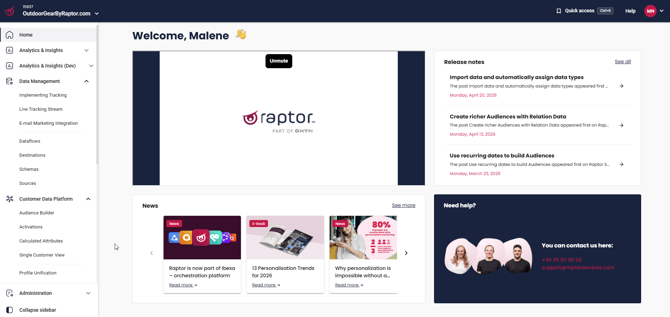
Raptor's sidebar, top bar, and app switcher now follow a shared design used across the Ibexa brand group, which includes Raptor, Quable, Cohesivo, and Actito. If your organization works with more than one of these products, the navigation will look and behave consistently between them. Raptor-specific adjustments are preserved within this shared structure, including the placement of the Administration menu, Collab positioning, and pinning behavior. This does not change how individual features work, only how you move around the platform.
🔍 Note: If you use other Ibexa brand products alongside Raptor, you may notice the navigation layout looks familiar across them.
Dark mode
Raptor supports a light and dark theme for the platform interface. By default, Raptor follows your system's display setting, and you can override this manually in your display preferences. Your chosen theme is saved to your account and persists across page refreshes and logins.
💡 Example: If your operating system is set to dark mode, Raptor opens in dark mode automatically. You can switch back to light mode at any time without affecting your data or settings.
🔍 Note: Dark mode is a visual change only. It does not affect data, integrations, or how your campaigns and dataflows run.
Where to go next
New to Raptor? The two articles below are the best starting point.
- Solutions — an overview of every product in the Raptor portfolio and what each one does
- Introduction to essential tools — a guide to the core platform tools: the Data Manager, Operational Insights, and User Management
Once you're familiar with the platform, navigate to the relevant section in the left-hand menu to get started.